Sundry by Samderlust

Money in, money out
— one app.

Scan receipts, send invoices, match bank deposits to what you're owed, and walk into tax season already sorted. The back-office built for solo operators.

No credit card. Your data stays yours — private by default.
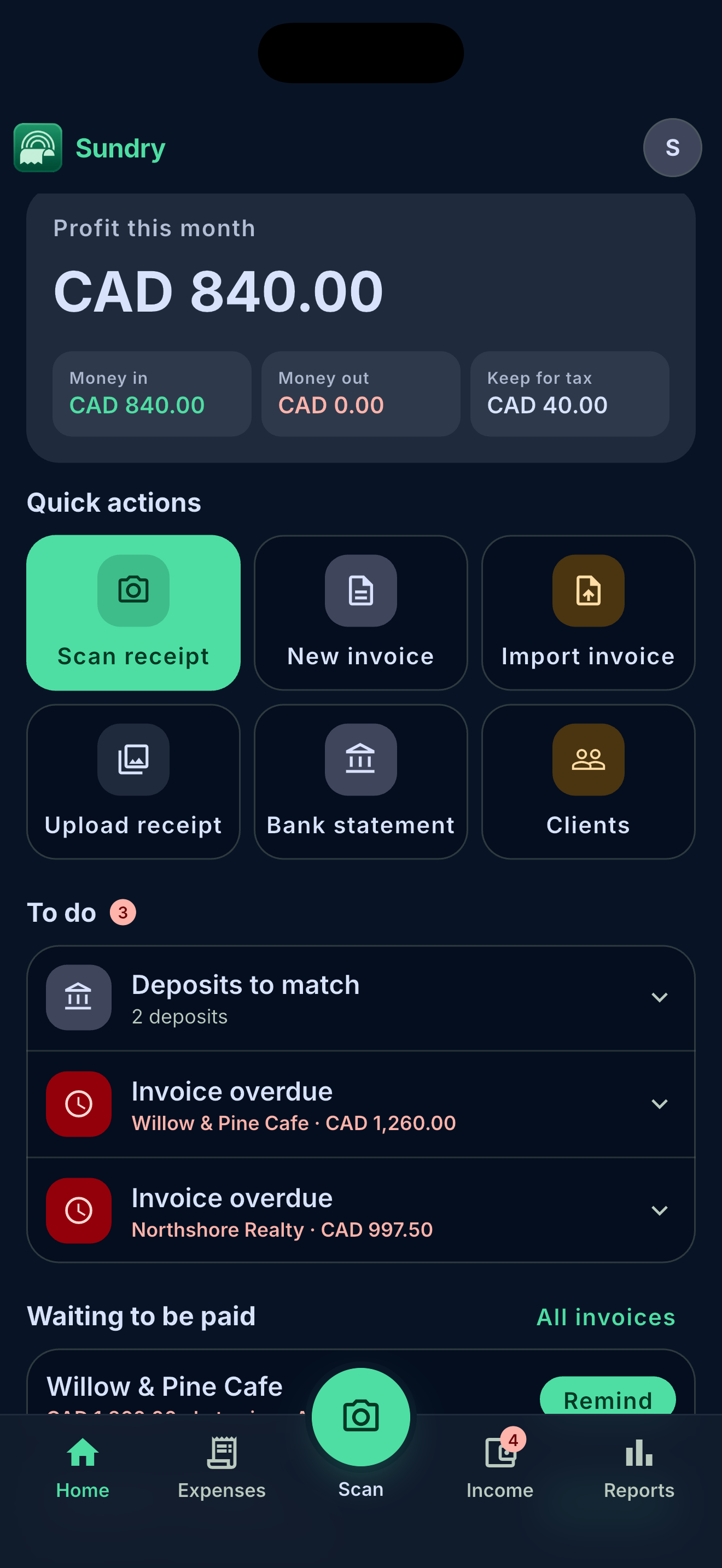
Sundry Home — profit this month, quick actions, and to-dos
BUILT FOR Freelancers · Consultants · Contractors · Tradespeople · Creatives · Small businesses
THE WHOLE PICTURE

Two halves of your business, bridged.

Most apps do one side. Sundry tracks the money going out and the money coming in — and reports both, cash-basis, ready to file.

south_west
MONEY OUT

Every receipt and supplier bill, captured & sorted

Snap a photo, share from any app, paste a link, or import from Drive. AI pulls the merchant, total, tax and date — then files it in a tax-ready category.

Camera · Gallery · Files Share sheet & links Google Drive import Foreign-currency FX
north_east
MONEY IN

Quote, invoice, and get reconciled

Turn a quote into an invoice, share the PDF, then upload your bank statement — Sundry parses it and matches every deposit to the invoice it paid.

Quotes → invoices On-device PDF Bank-deposit matching Direct income
HOW IT WORKS

From snap to tax-ready.

STEP 01 — CAPTURE

Snap it. Sundry reads it.

Scan with auto edge-detect, or send a receipt or bill from any app, paste a link, or pull one from Drive. Sundry reads it on your phone first, then saves — so nothing half-finished clutters your books.

check_circleAuto-extract total, tax & date check_circleRead-first, saved after
9:41signal_cellular_altbattery_5_bar
closeScan receiptbolt
EXTRACTED
Merchantcheck_circleStaples
Totalcheck_circle$62.40
CategorySupplies
Reading…
Approve → Approve & scan next
STEP 02 — INVOICE

Quote, invoice, get paid

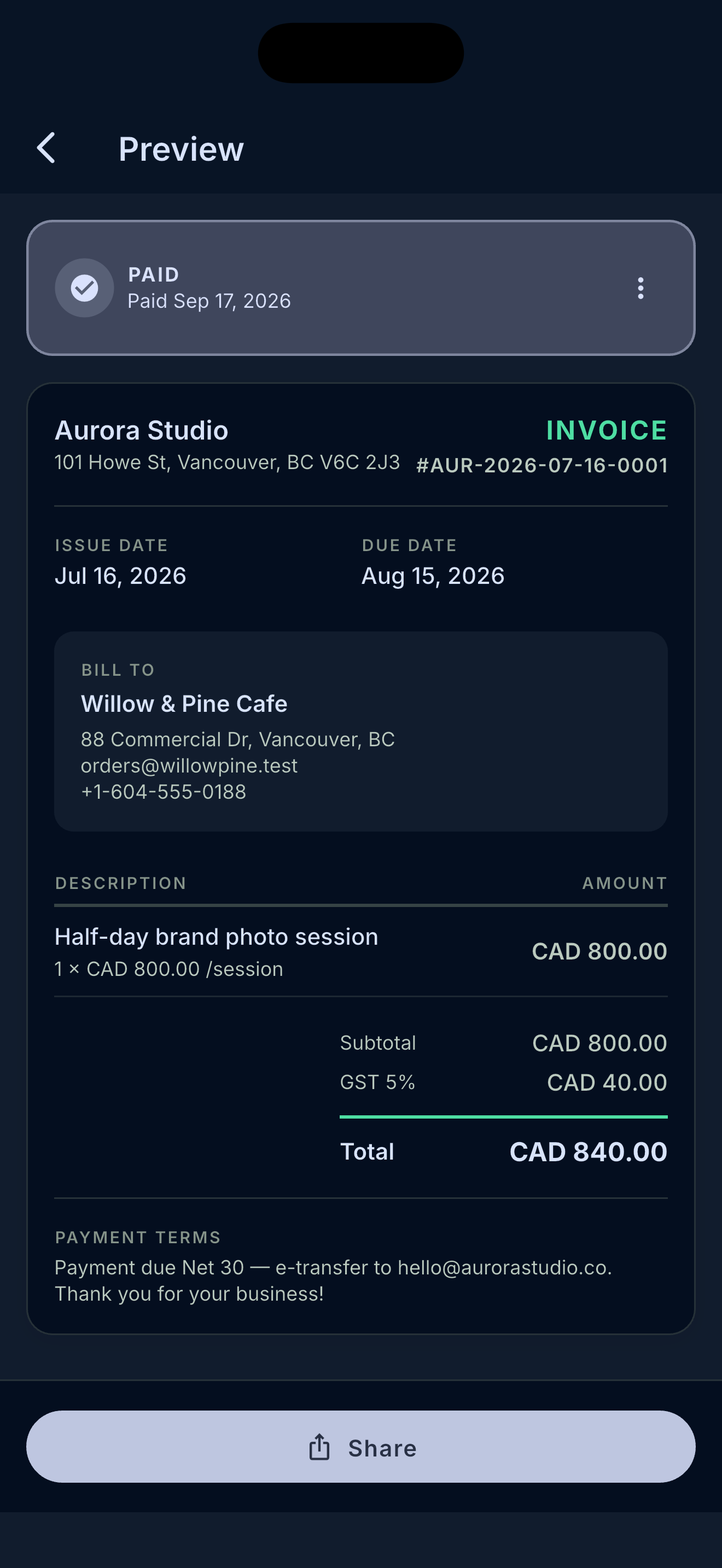
Send a branded quote, collect a signature on-screen, and convert it to an invoice in one tap. Share the PDF, track draft → sent → paid, and roll billable receipts straight into line items.

check_circleAccepted quotes auto-convert check_circleOn-device PDF, your branding
Sundry invoice preview — branded PDF, paid, with tax breakdown
STEP 03 — RECONCILE

Match deposits to invoices

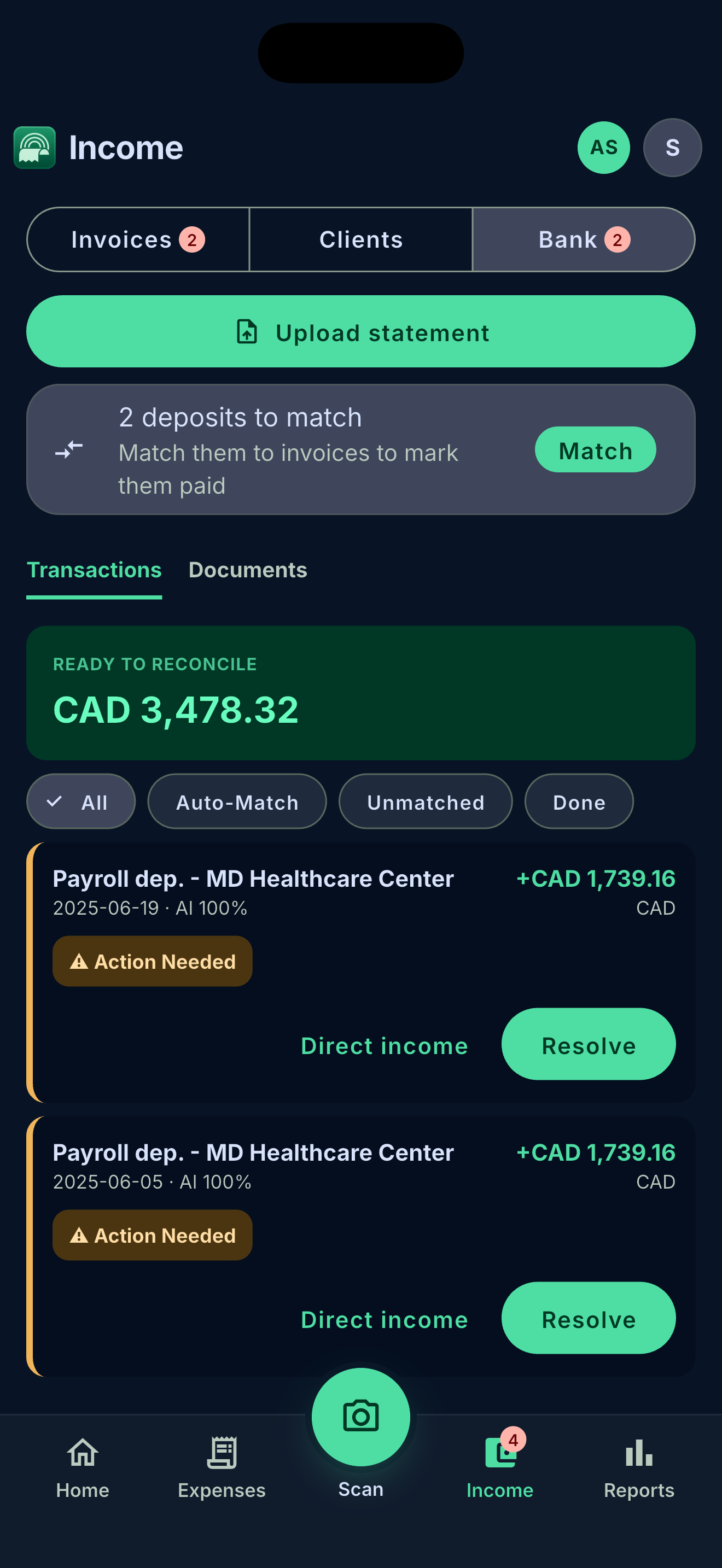
Upload your bank statement and Sundry parses every line, then suggests which invoice each deposit paid. Confirm with a tap. A short payment? Resolve it as a fee or a partial — the books stay honest.

check_circleAI-parsed statements check_circleOne-tap deposit matching
Sundry bank reconciliation — AI-parsed deposits ready to match
STEP 04 — TAX READY

Reports that file themselves

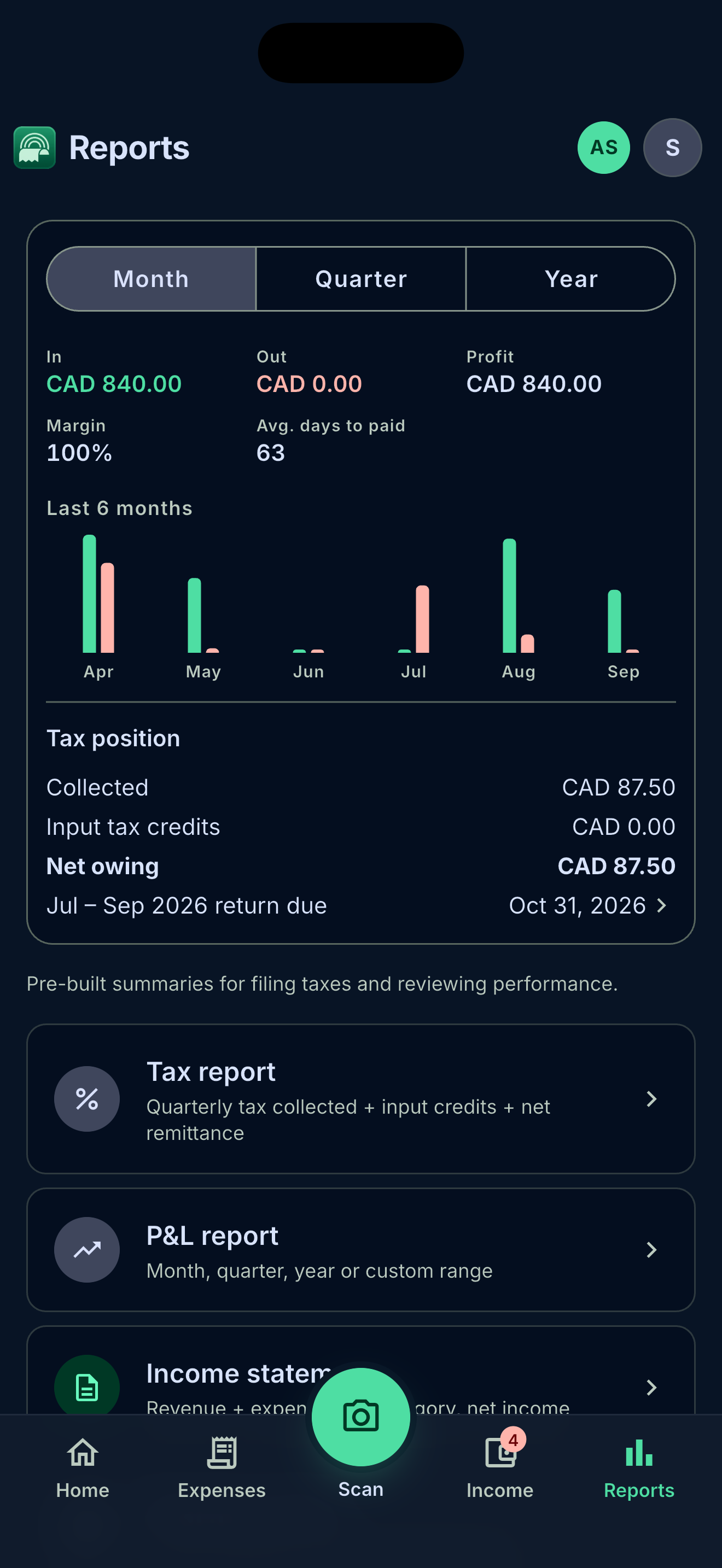
P&L, income statement, tax report and a full transaction ledger — all cash-basis, all built from the payments and expenses you already logged. Export to PDF or CSV when your accountant asks.

check_circleGST/HST/PST tracking check_circlePDF & CSV export
Sundry Reports — profit, 6-month chart, tax position and report exports
EVERYTHING IN ONE PLACE

No accountant required.

photo_camera

Receipt scanning

Snap, share, paste a link, or import from Drive. AI parses merchant, total, tax and date — no manual entry.

description

Invoices & quotes

Full draft-to-paid lifecycle, on-device PDFs with your brand, signatures, and one-tap quote conversion.

account_balance

Bank matching

Upload a statement, let AI parse it, and match each deposit to the invoice it paid. Partials and fees handled.

receipt_long

Expense tracking

Tax-ready categories, foreign-currency FX, and billable receipts that roll straight into client invoices.

workspaces

Multiple businesses

Run each business with its own logo, brand color, fiscal year and tax rules — switch in a tap.

monitoring

Reports & tax

Cash-basis P&L, income statement, tax report and ledger — export to PDF or CSV, always filing-ready.

PRIVATE BY DEFAULT

Your books are yours.

lock

Private storage

Receipts and statements live in private, row-secured storage — only you can open them, through signed links.

picture_as_pdf

On-device PDFs

Invoices and quotes render right on your phone — your client data never round-trips through a print server.

cloud_done

Your Drive, your call

Prefer Google Drive? Opt in per business. Sundry uses the drive.file scope — it only ever sees files it created.

Built for how you actually work.

No accountant required. No complex setup. Private by default.

Download arrow_forward